Grow & earn on Instagram
How to Make Reels on Instagram in 2026: Step-by-Step for Beginners
A beginner's walkthrough for recording, editing and posting a Reel, including photos-only Reels, music, captions, the free Edits app and the 3-minute rule.
This page contains affiliate links. If you buy through them we may earn a commission, at no extra cost to you. How we make money.
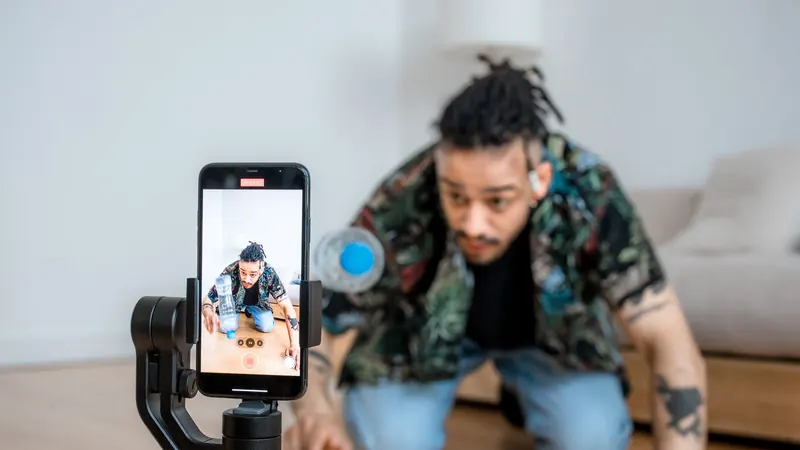
Short answer
To make a Reel, tap + in the Instagram app, choose Reel, then record clips or pick videos and photos from your camera roll. Trim the clips, add audio, text and captions, write a caption and share. You can record up to 20 minutes, but Instagram only recommends Reels of 3 minutes or less to new audiences, so keep most Reels short, vertical and original.
Key points
- Reels can add up to 20 minutes of clips, but only Reels of 3 minutes or less are recommended to non-followers.
- You can build a Reel from photos, videos, or a mix, straight from your camera roll.
- Use music from Instagram's audio library or your own original audio; licensed songs are detected and credited automatically.
- Instagram's free Edits app adds a timeline editor, auto-captions and watermark-free export.
Before you start: what makes a Reel worth posting
A Reel is a vertical short video that Instagram can show to people who don't follow you. That reach is the whole point, so three things matter before you open the camera:
- Format: vertical 9:16, high resolution, no borders, and no other app's watermark. Instagram says it is less likely to recommend Reels that are low resolution, watermarked or mostly text.
- Length: 3 minutes or less if you want it recommended to new audiences.
- Originality: your own footage, voice or edit. Reposted clips are less likely to be recommended.
Need something to film? We collected 40 formats in Instagram Reels ideas.
How to record a Reel in the Instagram app
- Open Instagram and tap + (Create), then choose Reel.
- Press and hold the record button to film a clip. Release to stop, then record the next clip. Clips can add up to 20 minutes.
- Use the tools on the left before recording: Audio to choose a track, Length, Speed, Timer for hands-free shots, and Effects.
- Tap Next to open the editor. Trim clips, reorder them, and add text, stickers or voiceover.
- Tap Next again, write your caption, add topics or a location, choose a cover image and tap Share.
Instagram's menus change from time to time, so the exact labels in your app may differ slightly.
How to make a Reel from your camera roll
Most creators film with the phone camera first and assemble the Reel later, because the main camera usually gives better quality and you can retake shots without pressure.
- Tap +, choose Reel, then tap the gallery thumbnail in the bottom corner.
- Select several videos in the order you want them to play.
- Tap Next, then trim each clip in the editor so every second earns its place.
How to make a Reel with photos (or photos and videos)
"How to make reels on Instagram with photos" is one of the most-searched versions of this question, and it's simple:
- From the Reel camera, open your gallery and tap Select multiple.
- Pick your photos, and videos too if you like.
- Instagram turns each photo into a short clip. Adjust each one's duration in the editor, then add audio so the cuts land on the beat.
Photo Reels work well for before-and-after reveals, recipe steps and product collections. Keep on-screen text short: Instagram may not recommend Reels that are mostly text.
How to add music to a Reel (without problems)
Instagram's Help Center lists three sources of audio: your own original audio, original audio from another Reels creator, and tracks from Instagram's audio library through the Audio tool. Instagram also supports layering several audio tracks in one Reel.
- Use the in-app library rather than recording a song playing from a speaker. Instagram detects licensed audio and automatically credits the artist and song.
- Speak over it. A voiceover with quiet background music is often more engaging than music alone, and it makes the Reel more clearly yours.
- Trending audio helps when it fits the content, according to Instagram's own creator tips. Forcing a trend that doesn't match rarely does.
How to add captions to a Reel
Many people watch with the sound off, so on-screen captions keep them watching. Use the captions sticker in the Instagram editor, or the Captions tool in Instagram's Edits app, which generates captions automatically and lets you adjust language, style and transcription. Check the transcript before posting; names and brand terms are often misheard.
Edit like a pro with Instagram's free Edits app
Instagram launched Edits in 2025 as a free video app for iPhone and Android. According to Meta, it offers:
- a frame-accurate timeline with clip-level editing
- recording up to 10 minutes and sharing directly to Instagram or Facebook
- export with no watermark, so you can post anywhere
- green screen, transitions, cutouts and AI-powered effects
- insights such as skip rate, to see where viewers drop off
If you post more than a couple of Reels a week, Edits is worth installing: watermark-free export matters because Instagram is less likely to recommend Reels carrying another app's watermark.
Can you make Reels on a computer?
Yes, for uploading. On instagram.com, click Create, select your video from your computer, trim it, add a caption and share. Editing tools are more limited than in the app, so desktop works best for videos you've already finished in an editor. If you edit on a computer, export in 9:16 vertical at 1080p or higher.
Making Reels without filming yourself
Not every Reel needs your face. Hands-only demos, screen recordings and voiceover over your own B-roll all work. Two kinds of tools can fill the gaps:
- Animated explainers. Whiteboard and doodle videos turn a tip into a Reel without a camera. InstaDoodle runs in the browser and generates doodles from text. We compare it with Doodly and VideoScribe in the best whiteboard animation software.
- AI voice and presenters. For ads and product demos, see AI UGC video generators, including Meta's rule that realistic AI video must be labelled.
More on building a whole account this way in faceless Instagram accounts.
Pre-posting checklist
| Check | Why it matters |
|---|---|
| Hook in the first 3 seconds | Instagram advises pulling viewers in immediately |
| 9:16, high resolution, no borders | Low-resolution and bordered Reels are less likely to be recommended |
| No other app's watermark | Watermarked Reels are less likely to be recommended |
| 3 minutes or shorter | Longer Reels aren't recommended to new audiences |
| Captions on screen | Keeps sound-off viewers watching |
| Original footage or edit | Instagram recommends the original when copies exist |
| Posted when followers are active | See the best time to post |
After you post
Reply to early comments: Instagram recommends liking or replying to comments on your Reel, especially in the first days. Then check your insights for watch time and where people skip, and make the next one tighter. Consistency beats perfection; Instagram's creator team says posting original content regularly is one of the most effective ways to grow. More in how to get more followers on Instagram.
Frequently asked questions
How do I make a Reel on Instagram?
Tap + in the app, choose Reel, record clips or select videos and photos from your camera roll, edit them, add audio and text, write a caption and tap Share.
How long can an Instagram Reel be?
Instagram's Help Center says clips can add up to 20 minutes, but Reels longer than 3 minutes won't be recommended to new audiences.
How do I make a Reel with photos?
Open the Reel camera, tap the gallery, choose Select multiple and pick your photos (and videos if you want). Adjust each photo's duration in the editor and add audio.
How do I add music to a Reel without copyright problems?
Use the Audio tool and pick a track from Instagram's audio library, or use your own original audio. Instagram automatically credits licensed songs it detects.
Can I make Reels on my computer?
You can upload a finished video as a Reel on instagram.com through Create. Editing tools are more limited than in the mobile app.
What is Instagram's Edits app?
Edits is Instagram's free video editing app for iPhone and Android, launched in 2025. It offers timeline editing, auto-captions, effects, insights and watermark-free export.
Sources
Checked on November 21, 2026.
- Instagram Help: Record a reel on Instagram
- Instagram Help: What audio you can use in your reel
- Instagram Help: Edit your video on Edits
- Meta: Introducing Edits, a streamlined video creation app
- Instagram creators: Finding success on reels (3-minute Reels)
- Instagram: Tips for improving your reach
- Instagram: Recommendations and originality
Keep reading
 Grow & earn on InstagramInstagram Reels ideasForty Reel formats you can film this week, grouped by goal, with examples and the rules that decide whether Instagram recommends them.Read the guide →
 Grow & earn on InstagramBest time to post on InstagramWhat two large 2026 studies found about the best days and hours to post, why your own Insights beat any average, and a simple way to test it.Read the guide →
 Grow & earn on InstagramHow to get more followers on InstagramA growth routine built on what Instagram has published about recommendations and Reels, plus the shortcuts that get accounts limited.Read the guide →